QR code to vector: keep your code sharp at poster size
Your QR code looks fine on screen but prints blurry on the banner, or the printer asked for a vector file. Trace the exact pattern into a crisp SVG or PDF, then test it before you print.
Drop your QR code here
Drag and drop an image, or click to choose a file.
Choose imagePNG, JPG, WEBP, BMP, GIF
The converter opens with the recommended settings below. Open the converter without a file
Original raster
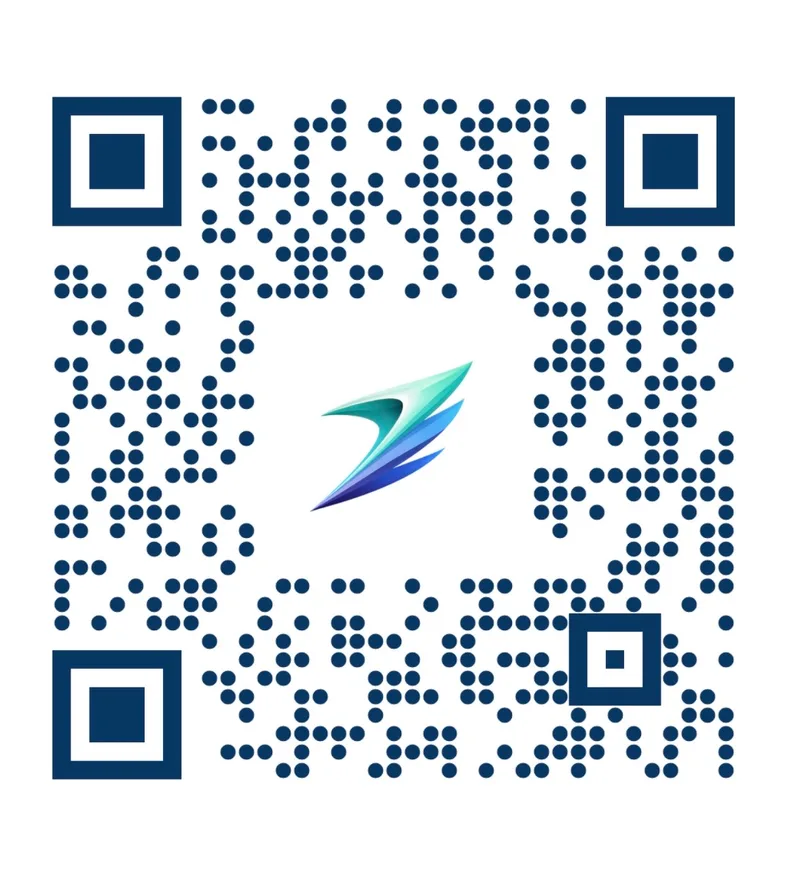
SVGR vector

How to turn a QR code into a vector
- Scan it first. Scan the code with your phone and look at the link it opens. If it's a QR generator's short link, read the section on dynamic codes before you go further.
- Crop with the margin. Crop to the code but keep the full white border around it. A screenshot or the original export beats a photo or a JPEG.
- Check the square size. Aim for a code at least 800 px across before converting — at that size the squares are big enough to survive the filter that strips anti-aliasing. If your only copy is smaller, re-export it larger from the generator if you can; if you can't, enlarge it 4x before uploading, which keeps it scannable though the edges stay as soft as the original.
- Drop it in. Drop the image above. The recommended settings are applied for you, and converting and previewing are free.
- Scan the preview. Scan the preview on your screen with your phone. If it opens the right page, download the QR code SVG or PDF for one credit.
- Print a proof. Print a test at the real size and scan it from the real distance with both an iPhone and an Android phone.
Recommended settings
Why a PNG QR code turns blurry on a poster
A PNG or JPG QR code is a grid of pixels. Stretch a 300 px image across a 60 cm banner and every pixel becomes a visible block with soft edges, and a JPEG adds grey speckle around each module.
Going from QR code to vector replaces those pixels with shapes. Each dark module gets a crisp edge that prints sharply at any size, and you get the file your printer asked for: an SVG, or a vector PDF your printer can scale.
The pattern itself doesn't change. A traced code carries the same data as the original, as long as every module survives the trace. The rest of this page is about making sure it does.
Give it a big enough code, then let the filter clean the edges
Two things decide whether a traced QR code is clean and scannable, and they pull against each other. The Quality slider sets how small a speck the tracer keeps. Low settings throw away the soft anti-aliased pixels around each square, which is what makes the vector crisp — but the same filter will throw away whole squares if they are too small.
So the fix is size, not quality. At about 800 px across, the squares are far bigger than the filter and the recommended quality 2 removes only the fringe: our sample dropped from 642 colors to 94 and from 131 KB to 55 KB, and scanned at every size we tested. Raising the quality instead keeps the fringe and traces it as hundreds of pale ghost shapes around the pattern.
If your only copy is small, re-export it from the generator at a larger size where you can. Enlarging a small image 4x does keep it scannable — it rescued every failing code in our tests, down to squares 2.5 px wide — but enlarging also enlarges the soft edges, so the result is bigger and less crisp than a proper large original.
Need the code on a dark or colored background? Leave the white margin in the vector and place the code on a white panel in your layout, rather than removing the background.
How big to print a QR code, and the margin it needs
Every QR code needs a quiet zone: a clear margin 4 modules wide on every side, or 2 modules for the smaller Micro QR format. Scanners use it to find the code, so crop your source with the whole white border included and keep text and artwork out of it.
For size, the industry rule of thumb is 10:1: the code should be about one tenth as wide as the distance it's scanned from. It's a guideline from QR generator vendors, not part of the ISO standard, and codes holding long URLs are denser and need more room.
Add 20–30% for dim light or steep viewing angles. The widths below are for the code itself; keep the quiet zone around it.
| Where it's scanned | Scan distance | Code width |
|---|---|---|
| Flyer, menu, card or packaging | Arm's length | At least 2 cm (about 0.8 in) |
| Poster | 1–2.5 m (about 3–8 ft) | 10–25 cm (about 4–10 in) |
| Billboard | 7.5–15 m (about 25–50 ft) | 75–150 cm (about 30–60 in) |
Error correction, logos and colors
QR codes carry spare data so they can survive damage. There are four error-correction levels: L can restore about 7% of the codewords, M 15%, Q 25% and H 30%.
A logo in the middle works by covering modules and letting error correction fill them back in. That means level H, a centered logo no wider than about 20–25% of the code, and nothing over the three large finder squares in the corners.
That recovery budget is shared. A tracing wobble, a smudge on the print and a scratch all draw on the same spare capacity, so a code that already carries a logo has less room for anything else. Test styled codes more carefully, not less.
Keep dark modules on a light background. The standard allows inverted codes, light on dark, but some Android and older scanner apps fail to read them. If your design calls for one, test it on several phones before you print a run.
Static or dynamic: vectorizing copies the link, not the destination
A static code stores your URL directly. A dynamic code stores the generator's redirect link, which forwards to your page. If the subscription or free trial behind it ends, scans land on an inactive page.
Vectorizing copies the pattern, so it copies the redirect too. It cannot rescue an expiring dynamic code. Scan the code first and look at the URL; if it points to the generator rather than to you, sort out the link or make a new static code before you print.
Some codes expire on their own schedule. WeChat group QR codes stop working after 7 days, and a WhatsApp group invite code dies as soon as an admin resets the invite link. A sharper copy of either won't bring it back.
Should you regenerate the code or trace it?
If it's a plain black-and-white code and you control the URL, don't trace it. Paste the link into any generator that can export a QR code to SVG and you get a vector QR code with exact modules.
Tracing is for codes that regenerating would change or can't reproduce:
- Styled or branded codes: custom colors, rounded dots, custom corner eyes, a gradient fill or a center logo
- A code that is part of a larger design, such as a framed sticker or table sign, that you want to keep as it is
- A code from a generator account you no longer have access to
- A code someone else made, such as a venue's or a partner's, when all you have is the image
- WeChat mini-program codes, the round codes ordinary QR generators can't make
- Your own payment code inside a branded frame. Check whether your payment provider offers official printable signage first, and scan-test the print in the payment app to confirm the money reaches you
What tracing can't fix
- Generative AI tools that redraw an image as a new vector are the wrong tool for QR codes. One wrong module breaks the code; tracing keeps the original geometry.
- A blurry or angled photo of a printed code may have lost modules before tracing starts. Shoot straight on and correct the perspective, or better, find the original file.
- Small JPEGs can lose modules at any setting unless you upscale first. In our tests, a JPEG with 6.5 px modules failed even at quality 10.
- Our measurements used synthetic codes and a software decoder, not phone cameras. They show which settings keep modules intact; they don't replace scanning a printed proof.
- You get SVG or a vector PDF in RGB, with no bleed and no CMYK. Most printers accept PDF; if yours insists on EPS or AI, open the file in Illustrator or Inkscape and save it in that format.
- Round dots traced from a small image come out slightly angular, as in the example above. That did not stop the code from scanning in our checks, but a larger source gives rounder dots.
Frequently asked questions
Does converting a QR code to vector change the link?
No. Tracing copies the pattern of modules, and the pattern is the data. If the original opened your page, a clean trace opens the same page; if it opened a generator's redirect, so will the vector.
How big should I print my QR code?
About one tenth of the scanning distance, and at least 2 cm across for anything read at arm's length. Add 20–30% for poor light, and keep the 4-module quiet zone around it.
I made the code on a free trial. Will the vector keep working?
Only if it's a static code. A dynamic code points to the generator's redirect, which stops working when the trial ends, however sharp the vector is. Scan it and check the URL first.
Can I put a logo in the middle?
Yes, with care: use error-correction level H, keep the logo centered and no wider than about 20–25% of the code, and keep it off the finder squares. If you already have a code with a logo, SVGR traces the code and logo together.
Can I use a white QR code on a dark background?
The standard allows it, but some Android and older scanner apps can't read inverted codes. Dark on light is safer; if you go inverted, test on an iPhone and a couple of Android phones first.
Why won't my traced QR code scan?
Usually the quiet zone was cropped off, the code was too small for the quality setting, or the background was made transparent and the code sits on a dark color. Start from a copy at least 800 px across, keep the white margin, and convert again.
Can I vectorize a barcode (UPC or EAN) the same way?
Don't trace barcodes. Bar and space widths must be exact multiples of a base width, 0.330 mm nominal for EAN-13, and a trace can be off by a fraction. The digits printed under the barcode are the data, so regenerate it from those in barcode software.
Can I get a vector QR code from Canva?
If Canva generated the code, yes: in our check, Canva's own QR codes exported to PDF came out as vector shapes, and SVG download needs a paid Canva plan. A QR code you uploaded to Canva as a PNG stays a raster image, so trace that one here.
Related use cases
Prefer a short walkthrough? Read the tutorial: Convert QR Code to SVG
Ready to convert?
Converting and previewing are free, with no account needed. Downloading the SVG or PDF uses one credit.